



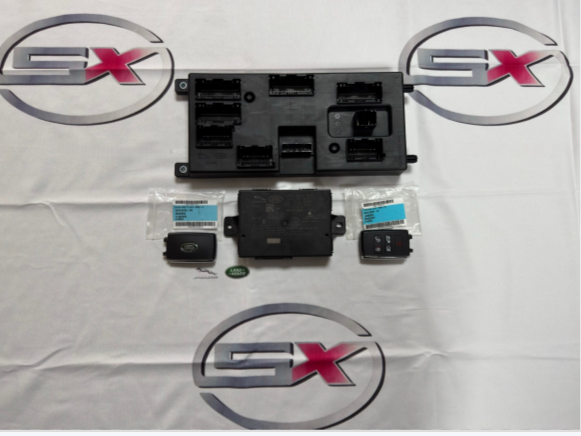
Land Rover All Keys Lost Solution: Professional JLR AKL Key Programming Guide Stuck with Land Rover all keys lost (AKL)? Our SX-TOOL family of JLR engineering software (SX TOOL, SX-CAN, JET-LS) provides reliable solutions for JLR key programming across various model years and communication protocols. This guide details procedures for spare key addition and full […]
Category Archives: Coding Programming
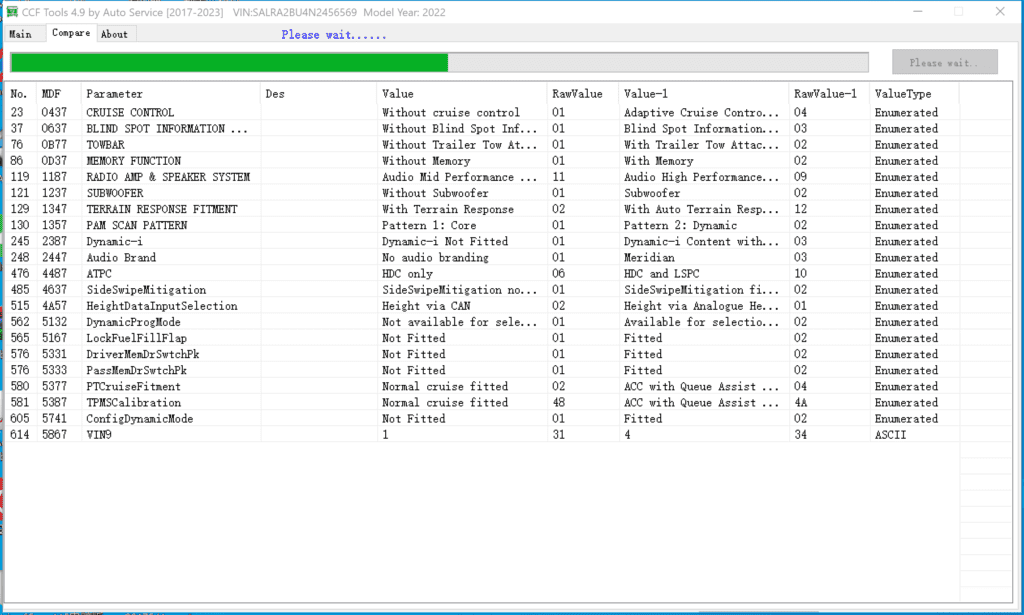
How to use JLR CCF Tools and VBF Editor? Introduction to JLR CCF Tools and VBF Editor JLR CCF (Control Configuration Files) tools and VBF (Vehicle Bus File) editor are software applications specifically designed for Jaguar Land Rover dealerships to configure and program vehicle control modules. These tools are only meant to be used by […]
How to Get BMW ECU Validation Service via ISTA BMW After Replacing Certain Control Modules SITUATION With the introduction of the new Headunit HU-H3 (MGU Media Graphics Unit), we have a new way protection mechanism against tampering. If one or more of the following components MGU, TCB Telematic Communication Box (ATM-02), RSE Rear Seat Entertainment, […]
BMW Esys launcher pro guide on how to code with Esys BMW Use BMW ICOM NEXT, ENET cable to connect to e-sys launcher pro or e-sys; 2. Read SVT or Read ECU, Select the ECU that needs code 3. Code 4. Code finished.
To connect BMW E-sys, you need to use BMW ICOM NEXT or ENET cable/ENET WIFI BMW E sys English abbreviation meaning, BMW Motors, BMW Mini, BMW Rolls Royce: ASAM Association for Standardisation of Automation and Measuring Systems AVAKON Automatic Configuration of Variants BAF Boot Sector Exchange Format BT Description Table CAF Coding Application File CBD […]
Beginner Guide on How to change the FA code with BMW Esys launcher pro? Connect BMW Esys launcher pro(Use ICOM NEXT A or ENET cable or ENET WIFI adapter); 2. Read FA; 3. Change e sys fa config code and save ; 4. code ECU; 5. ECU code completed, car FA code […]
How to activate driving to watch DVD video on BMW F10F18? step by Step Guide. Connect to e-sys can use ENET cable/ENET WIFI/ICOM NEXT to connect BMW car 2. Select HU_CIC/HU_NBT,read FDL and Edit FDL; 3. Search SPEEDLOCK_X_KMH_MIN; 4.Edit 08 5.changed FA 6. Search SPEEDLOCK_X_KMH_MAX; 7.0A change to FF; 8.Select HU_CIC/HU_NBT CAFD_XXX,Code FDL; 9.FDL code […]
BMW engineer Guide on How to change the FA code with BMW E-sys? Connect e sys software(connect to bmw car need bmw icom next or ENET cable/enet wifi) 2.Read FA file; 3.Check and change fa code 4.reload fa file 5. Select the relevant ECU code 6.Code finished.
How to diagnose BMW cars with ISTA software ? BMW ISTA software requires BMW ISTA ICOM NEXT or ENET cable to connect to BMW cars 2. Operations-New-Read out vehicle data-complete identification; 3.Connect 4. Read control unit tree(Read ecu) 5.Read Fault memory; 6.Test plan; 7.Wiring Diagram; 8.Demonstration of car disassembly and installation.
Porsche Piwis tester 3 V40.450.020-Engineer E Mode Porsche piwis tester 3 software need Porsche PT3G VCI connect to Porsche car Porsche piwis tester update Porsche piwis tester 3 update SUCCESS and update history Porsche Piwis tester 3 V40.450.020 Engineer E Mode Porsche Piwis tester 3 V40.450.020 PPN Certificate Porsche Piwis tester 3 V40.450.020 Repair circuit […]
How to BMW DVD in Motion activation for CIC of BMW car 1.You need to use NCS-Experttentool software, select File-FSW PSW MAN-OK.(This is a BMW X5 E70 car, you need to use BMW ICOM NEXT to connect to the car) 2.Select CHASSIS-E70; 3.Select F1 (VIN/ZCS/FA)-F3(ZCS/FA) 4.Now you can read 17 car VIN numbers,Select F6 back; […]
JLR Pathfinder install, How to Install Land Rover Jaguar Pathfinder Software Pathfinder: Land Rover and Jaguar car repair software to connect cars using DOIP diagnostic interface; Operating System: Windows 10 64-bit Pro Pathfinder update and install software锛?strong>jaguarlandrover_connect_updater 2.jaguarlandrover_connect_updater锛?After the installation of jaguarlandrover_connect_updater is complete, open it in the lower right corner of the computer screen, […]
DTS Monaco add a new project(you need to use C6 VCI/C4 connect to the car) Open System configurator 2. New Project… 3.DTS 8project; 4.Select open xxx.prj or xxx.xprj file next 5.Project Name; finish 6. Open DTS Monaco-Open a workspace.
DTS Monaco activates mirror folding Mercedes Benz car mirror folding function(Connect DTS Monaco need use C6 VCI or C4 )锛?/li> 2. CGW 212 Active 3.IC_204 vorhanden
Xentry diagnosis software directory, CBFCFFSMR-DSMR-F file path If you need to connect DTS Monaco and car, you need to use C4/C6(VCI) or ECOM CBF file path: C:Program Files (x86)Mercedes-BenzDAScomdatpkwcbf C:Program Files (x86)Mercedes-BenzXentryMB_PKWCaesarcbfSMR-D file path: C:Program Files (x86)Mercedes-BenzXentry Kontexte ODXProjektePKW_COMMONdbr CFF and SMR-F file paths:C:Program Files (x86)Mercedes-BenzSDFlashReleasePKW
DTS Monaco Connect C6 VCI Setting(You need to use Xentry VCI C6) Connect VCI C6锛?/li> 2.DTS Monaco system configurator; If there is no interface type, you can create a new name 3.DTS Monaco Connect car; 4.DTS monaco has successfully connected the car銆?/p>
What is the difference between DTS Monaco and Vediamo? (connect DTS Monaco and Vediamo need C4/C6) Difference between DTS Monaco and Vediamo, function comparison Function/Difference DTS Monaco Vediamo All ECUs of the car code/fast read and write ECU YES NO Quick read/write/backup of all ECU software numbers YES NO Fast read/write of all ECU fault […]
BMW Coding, BMW code, BMW NCSExpert how to code DME engine Connect BMW car,Reserve IP address( need use BMW ICOM NEXT) 2. Select Exper mode 3.Enter ZCS 4. Select model series锛?/p> 5. Establish communication via CAS锛?/p> 6.Back; 7. Choose ECU, DME=8MOT(Engine ECU) 8. Select Execute job, coding finished锛圛f not completed, select “change job-SG Coding”, click鈥淐hange […]
BMW coding, BMW NCSEXPER coding, BMW E66 how to use NCSEXPER coding Connect BMW ICOM NEXT A,Reserve ip 2. ECS EXPER -Expermode coding/code 3.VIN/ZCS; 4.ZCS/FA ECU; 5.CAS; 6.E65锛孲elect the corresponding model series锛?/p> ok OK 7.Back; 8.HKL锛孉utomotive Air Conditioning ECU OK 8.Execute job 9. Execute job,you can also choose “change job”-“SG Coding”, then choose Execute job.
- 1
- 2


